
Espresa brings the benefits and programs your company offers into one app. See what’s available to you and stay connected, wherever you are.

Free on the App Store and Google Play.
Use SSO, a password, or a magic link, depending on your company.
See the programs available to you and start using them.
One place for the benefits and programs your company offers.
Find the benefits and programs your company offers, all in one place.
Browse products and gift cards available through your company’s program.

Get updates about your programs as they happen.
Take part in the programs your company offers to bring people together.
Available benefits and features vary by employer and program.
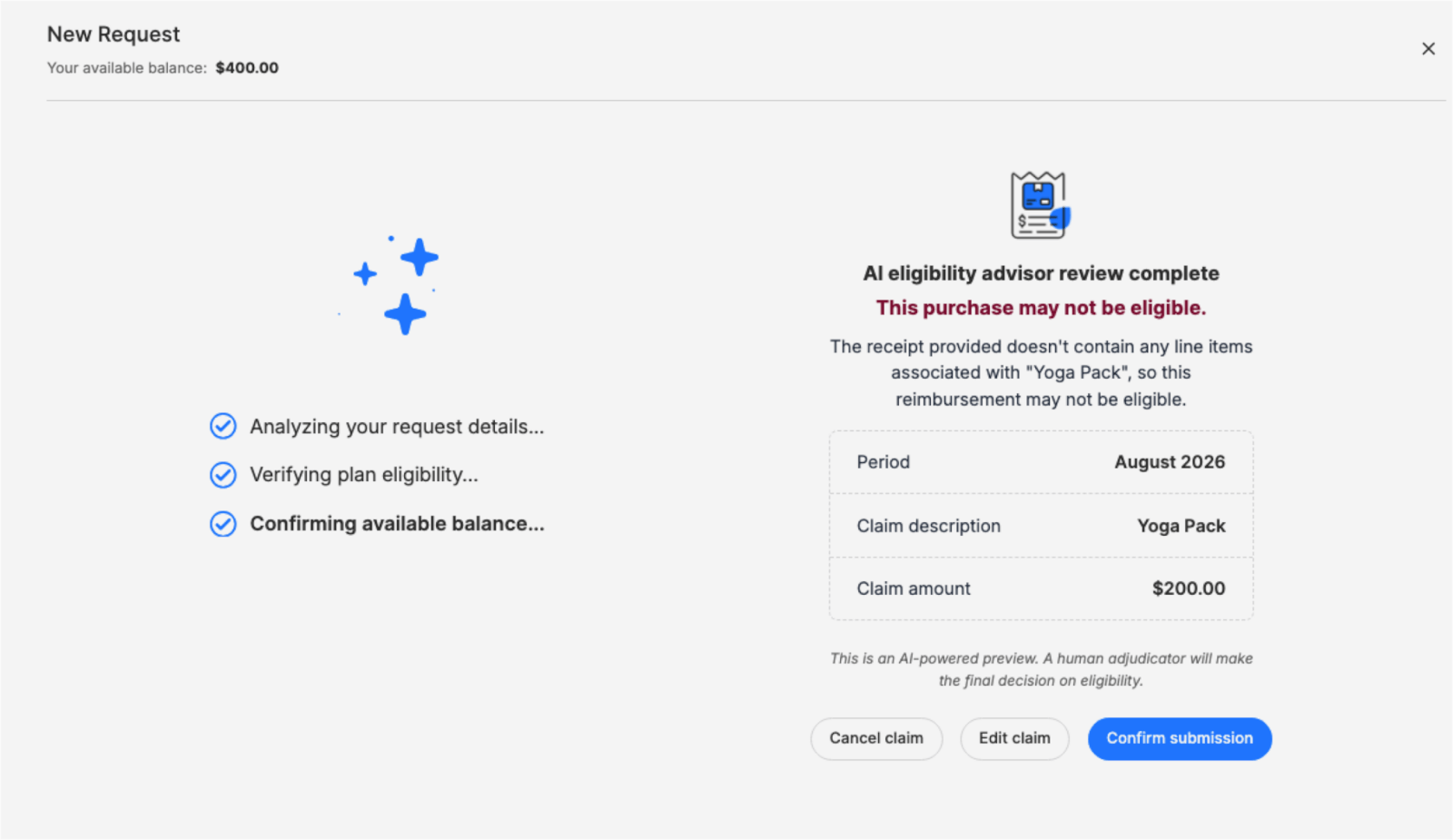
If your company offers Eligibility Advisor, check whether an expense may qualify under your plan before submitting a claim—so you can spend with greater confidence and avoid unnecessary back-and-forth.
Here are the most common sign-in questions. For account access, start with your company’s People or HR team.
Visit the Help CenterIt depends on your company. Many companies send a program launch email with a link to set up your account—click it and follow the on-screen steps. If you can’t find that email, go to the Espresa login page and enter your company email, and you’ll be prompted to sign in the way your company has set up. Not sure? Check with your People or HR team.
Usually your work email. After you enter it, you’ll sign in with your company’s single sign-on (SSO), a password, or a magic link sent to your email, depending on how your company has set up Espresa.
If your company has not enabled Single Sign-On (SSO) for the Espresa mobile app, you can still log in easily using a secure Magic Link sent to your email. Enter your company email address, tap Request Magic Link, then tap the Magic Link button in the email from Espresa. You will be redirected back to the mobile app and automatically logged in, no password required.
That depends on how you sign in. If your company uses a password, enter your work email on the Espresa login page, click “Continue,” then click “set or reset password” and an email will be sent with the final steps. If your company uses SSO, your password is managed by your company, so contact your People or HR team. If you sign in with a magic link, no password is needed.
Each customer’s data is logically isolated — no customer can access another customer’s data. Espresa is audited annually and maintains a SOC 2 Type II report, which covers controls for security, confidentiality, and privacy.
Start with your company’s People or HR team—they manage your account access. If you’re still having trouble, visit the Espresa Help Center for step-by-step help.
Benefits and programs employees actually use, in one platform that’s simple for HR to run.